Is Neon Abyss 2 crossplay between PC and Xbox?
Unverified for version 1.0. Game Pass or Xbox branding does not by itself confirm Steam-to-Xbox lobbies.

Neon Abyss 2 crossplay status for Switch, Xbox, PS5, PC and Game Pass, with confirmed platforms and unverified 1.0 crossplay. Verified October 2026.
~10 min read
Neon Abyss 2 crossplay is Unverified for version 1.0. Veewo's official press kit confirms releases on Steam, Xbox, PlayStation 5, and Nintendo Switch, but it does not publish a cross-platform lobby matrix. Buy on the same platform as your friends unless an official in-game notice, store listing, or Veewo update explicitly confirms the platform pair you need.
The confirmed 1.0 window is October 8, 2026, and the game supports one to four players online. Xbox Game Pass catalog membership is Unverified on this wiki until you check the live Xbox store on the day you install. This page separates confirmed platform availability from unsupported assumptions, then gives a party checklist before anyone pays. Verified October 10, 2026.
| Fact | Detail |
|---|---|
| PC | Confirmed on Steam |
| PlayStation | Confirmed on PlayStation 5 |
| Xbox | Confirmed on Xbox Series X|S |
| Nintendo | Confirmed on Nintendo Switch |
| Online players | 1–4 online co-op |
| Crossplay | Unverified for version 1.0; no official platform matrix found |
| Cross-save / cross-progression | Unverified |
| Release | October 8, 2026 |
Do not treat Neon Abyss 2 crossplay as confirmed. Official material lists all four platform families and advertises online multiplayer, but those are separate facts. A game can launch on several systems and still restrict parties to the same network, or support only selected platform pairs.
| Question | Status | Safe action |
|---|---|---|
| PC ↔ Xbox? | Unverified | Buy on the same ecosystem or wait for an official matrix |
| PC ↔ PS5? | Unverified | Do not promise a mixed-platform lobby |
| PC ↔ Switch? | Unverified | Treat the Nintendo release as separate |
| Xbox ↔ PS5? | Unverified | Require explicit official confirmation |
| Console cross-generation? | Not applicable to a published PS4/Xbox One version because those versions are not listed | Use PS5 or Xbox Series X|S as confirmed |
| Cross-save? | Unverified | Assume progress stays with the purchased platform |
Accept a Veewo update, official FAQ, current store feature list, or in-game option that explicitly names cross-platform play. A forum answer from Early Access, a generic multiplayer trailer, or an unsourced database should not override the missing version 1.0 matrix.
With crossplay kept separate, the next step is to identify exactly which store versions are confirmed.
The official press kit names Steam, Xbox, PS5, and NS. In ordinary store language, that means PC through Steam, Xbox Series X|S, PlayStation 5, and Nintendo Switch. No PlayStation 4, Xbox One, mobile, or Roblox release is confirmed in that platform list.

| Platform | Confirmed release | What to verify live |
|---|---|---|
| PC | Steam, app 2235200 | Operating requirements, controller support, regional price, and current patch |
| PlayStation 5 | Yes | Store region, online-service requirements, and current version |
| Xbox Series X|S | Yes | Store edition, Game Pass status, and current version |
| Nintendo Switch | Yes | Regional eShop availability, online-service requirements, and current version |
| PlayStation 4 | Not listed | Do not buy a PS5 listing expecting a PS4 entitlement |
| Xbox One | Not listed | Do not assume Series availability means an Xbox One build |
| Mobile / Roblox | Not listed | Search results for unrelated games are not sequel releases |
The confirmed PC reference is Steam app 2235200. Use the official Steam listing rather than keys, trainers, or pages for the original Neon Abyss. System requirements and feature tags can be updated, so the live listing is the final pre-purchase check.
A platform announcement does not guarantee that every regional storefront exposes the same price, language package, release hour, or bundle. Open the listing while signed into the account that will purchase it, verify that the page names Neon Abyss 2, and confirm the supported device before checkout. If a store offers a deluxe bundle, soundtrack, supporter content, or a Neon Abyss 1+2 bundle, read the included-products list; none of those labels changes the base game's crossplay status.
Digital ownership also follows the store's entitlement rules. Do not assume buying on one console family supplies a Steam, PlayStation, Switch, or other console copy. When a household uses several accounts, check which account owns the game and whether the platform permits its normal sharing method before inviting the party.
The official list specifically says PS5 and Xbox, while the site plan identifies Xbox Series X|S. That wording does not establish older-generation versions. Nintendo Switch has its own official release trailer, which confirms the platform but still does not prove compatibility with other networks.
One platform question has a different purchase model rather than different hardware: Game Pass access.
Xbox-side videos around the 1.0 window used Game Pass branding, but a trailer or review is not the same as a current catalog listing. Treat Neon Abyss 2 on Game Pass as something to confirm in the live Xbox store or Game Pass app on the day you install. A subscription catalog is not a permanent ownership promise.
| Decision | What Game Pass changes | What it does not confirm |
|---|---|---|
| Try before buying | An active eligible catalog listing can provide access while subscribed | Permanent ownership after the game leaves the catalog |
| Play on Xbox | The current listing can identify supported Series consoles | An Xbox One build if it is not listed |
| Play with Steam friends | Nothing by itself | PC-to-Xbox crossplay |
| Keep save after purchase | Usually depends on buying within the same Xbox ecosystem and title version | Cross-save to Steam, PlayStation, or Switch |
| Plan a group session | Can lower the entry cost for eligible members | That every member has the required subscription or online access |
A Game Pass badge answers “can this subscriber install now?” only while the catalog entry is active. It does not replace checking region, plan tier, platform, and online multiplayer requirements. If long-term access matters, compare the live purchase price with subscription access.
Shared branding across Xbox and PC services can look like one network, but the specific game's lobby support still needs confirmation. Until Veewo publishes the matrix, the safest party plan is identical storefront and hardware family.
Once access is clear, compare the practical advantages of each confirmed version rather than chasing an unverified “best” platform.
Choose based on party compatibility first, then on the device you will actually use. There is no verified universal performance ranking here, and patch behavior can change. Claims about exact frame rate, resolution, loading time, handheld battery life, or mod support should be checked against current technical tests rather than invented from platform names.
| Your priority | Safer choice | Check before paying |
|---|---|---|
| Play with existing friends | Their exact confirmed platform and storefront | Lobby compatibility and required online subscription |
| Keyboard/mouse or PC setup | Steam | System requirements and preferred input support |
| Xbox subscription access | Xbox Series X|S / current Game Pass listing | Catalog status, plan tier, and Series compatibility |
| PlayStation library | PS5 | Region, edition, and online multiplayer requirements |
| Portable play | Nintendo Switch | Current performance analysis and eShop region |
| Move one save among systems | Wait for evidence | Cross-save is Unverified |
A different controller or portable option is useful only if it does not split the group you intend to join. If the host already owns Steam, every other player should verify Steam access unless official crossplay confirmation appears. Apply the same rule to PS5, Xbox Series X|S, and Switch.
The confirmed mode is one to four players online. That wording should not be converted into a promise of couch co-op, split-screen, shared-screen multiplayer, or four controllers on one console. If two people intend to play from the same room, verify the live store's local-player features first; otherwise plan for separate supported devices, accounts, copies or subscriptions as required by that platform.
Input support is another listing-level check. A PC release does not make every controller layout or handheld PC configuration officially verified, and a console release does not establish keyboard-and-mouse support. Choose for the controls advertised on the current store page, then test remapping and readability within the refund or trial rules available to you.
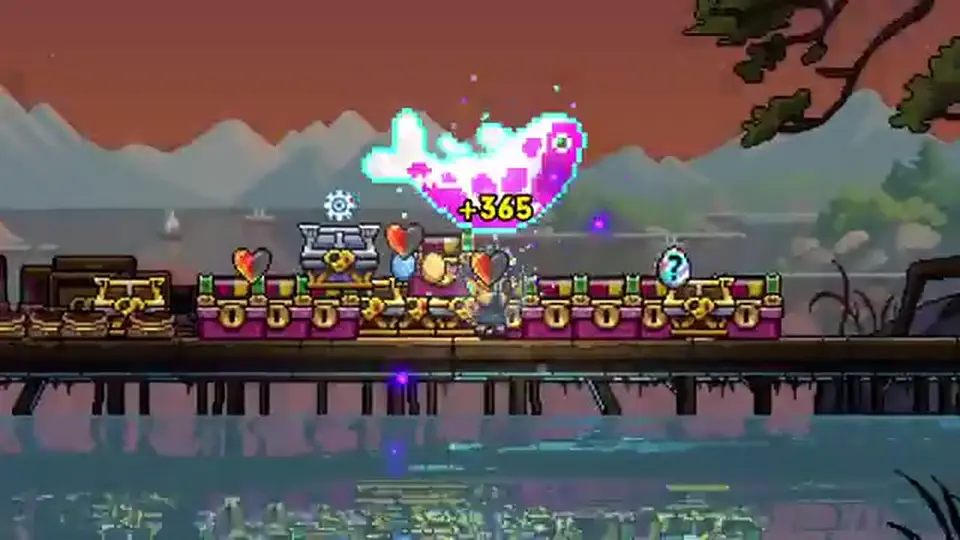
The game uses colorful 2D pixel presentation and can become visually busy as items stack, but that alone does not prove identical performance on every device. Look for tests made from the retail 1.0 build, not Early Access PC footage or another platform's trailer.
After choosing a likely version, run the group checklist below before anyone commits money or schedules a session.
Matched by build plan, shared topics, and guide progression — not random related links.
Use this compatibility checklist in order. It prevents the common failure where everyone confirms that the game has four-player multiplayer but nobody confirms that their four copies can enter the same lobby.
If a test fails, note “Steam host to PS5 guest,” not simply “crossplay broken.” Without an official matrix, a failed mixed-platform attempt may indicate unsupported pairing rather than an outage. Same-platform failures should move to version, service, and network checks.
Platform compatibility determines whether the party can meet at all. Agent choices, resource calls, room splitting, and boss positioning come afterward. Keeping those decisions separate avoids troubleshooting a build problem when the real issue is access.
If the party owns matching versions and still cannot connect, work through the narrow troubleshooting order next.
Start with facts you can verify locally. Do not reinstall immediately, delete saves, or change account regions before checking service status and version numbers. The goal is to distinguish unsupported crossplay from a same-platform connection problem.
| Check | Action | What it isolates |
|---|---|---|
| Platform pair | Confirm both players use the same confirmed ecosystem | Unsupported mixed-platform assumptions |
| Game version | Install updates and compare the displayed version | Client mismatch |
| Platform service | Check Steam, PlayStation, Xbox, or Nintendo service status | Network-wide outage |
| Entitlement | Confirm the purchasing account or subscription can launch online play | License or catalog access |
| Lobby test | Invite one player before adding the full party | Party-size or individual-account issue |
| Restart | Restart the game and platform after updates finish | Stale session state |
| Official support | Report platform, region, version, error text, and reproduction steps | Issue requiring a patch or account investigation |
Capture the exact message and the step that produced it. “Invite received but join fails” is more useful than “multiplayer does not work.” Include whether both players can host, whether another game connects, and whether the failure began after an update.
Do not erase progress to test a network issue. Cross-save is Unverified, so a local or platform-bound save may not be recoverable elsewhere. Escalate with precise evidence through official support or the official Veewo Discord guide.
The FAQ closes the remaining purchase questions and repeats the one rule that matters most: platform availability is confirmed, crossplay is not.
Unverified for version 1.0. Game Pass or Xbox branding does not by itself confirm Steam-to-Xbox lobbies.
Unverified. Both releases are confirmed, but no official platform-pair matrix was found.
Yes. Nintendo published a Switch release trailer, and Veewo lists NS in the official press kit.
Those versions are not in the official platform list checked for this page. The confirmed console targets are PS5, Xbox Series X|S, and Nintendo Switch.
Cross-save and cross-progression are Unverified. Assume progress remains on the platform where it was created.
Yes, Neon Abyss 2 supports one to four online players. Platform compatibility is a separate question; continue with the co-op guide after every player confirms the same platform.
Unverified on this wiki. Check the live Xbox store or Game Pass app on the day you install; a trailer that mentions Game Pass is not a current catalog listing.
Use the Neon Abyss 2 beginner guide for first-run routing, resources, Hatchmon, Faith, and boss preparation.
Matched by build plan, shared topics, and guide progression — not random related links.